TutorialsWHM

Viewing accounts that exceed the allocated space and modifying the allocated quota in the WHM administration panel

In this tutorial, we will show how you can view accounts that exceed the allocated space and modify the allocated quota in the WHM administration panel.

Views 542Updated 1 anPublished on 25/11/2017by Florin Petran

Introduction

  • In this tutorial, we will present how you can view accounts that exceed the allocated space and modify the allocated quota in the WHM administration panel.

Requirements 

  • Access to the WHM administration panel.

Steps

  • After we log in to the WHM admin panel, we will go to account information and then click on Show accounts with exceeded quotas.
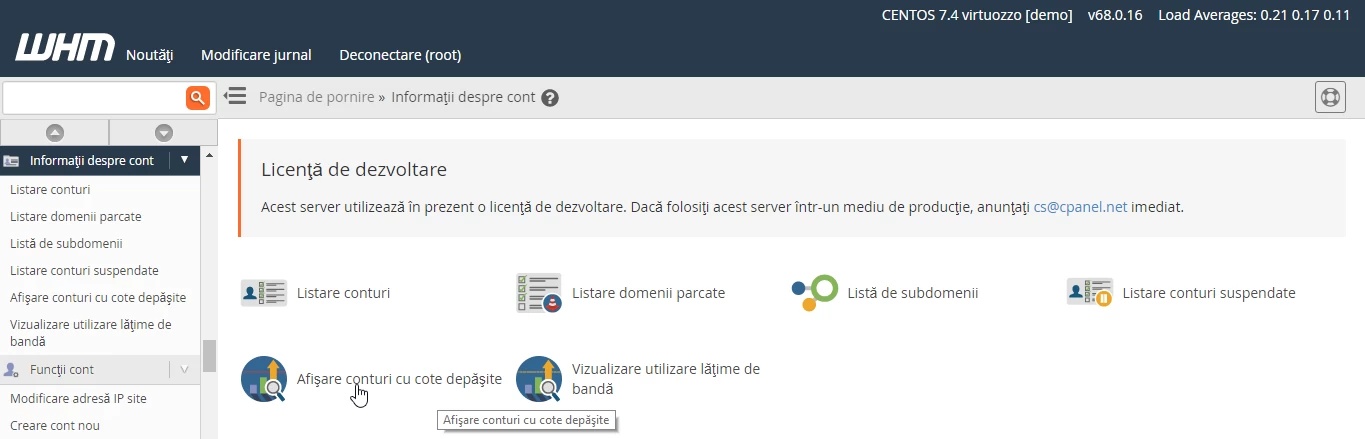
 cote depasite WHM

  • On the next page, the accounts that exceed the allocated quota will be displayed.
  • The account below has an allocated quota of 250MB that it exceeds.
  • We can modify the quota by adding a higher value or Unlimited and then click the Save button to save the changes made.

Setare cota pe domeniu WHM


Similar Articles

Changing the PHP version in cPanel on VPS hosting packages via MultiPHP ManagerTutorials /cPanel

In this article, we will present the necessary steps to change the PHP version in a cPanel account using MultiPHP Manager.

46
by Sebastian Szlivka
Views 2636
Updated 1 year ago
Published on 18/10/2017
Installing an application using the cPanel Softaculous pluginTutorials /Softaculous

Find out how to install web applications using the cPanel Softaculous plugin. A step-by-step guide for installing WordPress and managing applications.

15
by Sebastian Szlivka
Views 4829
Updated 1 year ago
Published on 10/10/2017
File management with File Manager from the cPanel control panelTutorials /cPanel

Learn how to use the File Manager in cPanel to manage files and directories, including copy, move, delete, and edit operations.

4
by Alexandru Rogojan
Views 1943
Updated 1 year ago
Published on 30/05/2019
Configuring PHP directives in cPanel on VPS hosting packages using MultiPHP INI EditorTutorials /cPanel

This article describes the steps necessary to configure PHP directives on VPS hosting packages using MultiPHP INI Editor.

3
by Sebastian Szlivka
Views 1103
Updated 1 year ago
Published on 26/10/2017
Launching a NodeJS application on shared servers with cPanelTutorials /Apps

Launch your NodeJS application on shared servers with cPanel! Step by step guide for setup, including configuring the file and environment variables.

2
by Florin Petran
Views 3011
Updated 1 year ago
Published on 25/06/2021
CornerCorner