Tutorials • cPanel
cPanel Visitors
Find out how to access detailed information about visitors on your website through cPanel, including IP, URL, access time, and much more.
Views 996Updated 2 aniPublished on 26/09/2018by Florin P.
Introduction
- Visitors cPanel displays detailed information about the 1000 most recent visits to the site.
Requirements
- Access to the cPanel account, username and password.
Steps
- After logging into the cPanel account, we will go to the Metrics section and then click on Visitors.

- On the next page, to view information about visitors for the desired domain, we will click the button in the form of a magnifying glass.

- By default, the interface displays the following information:
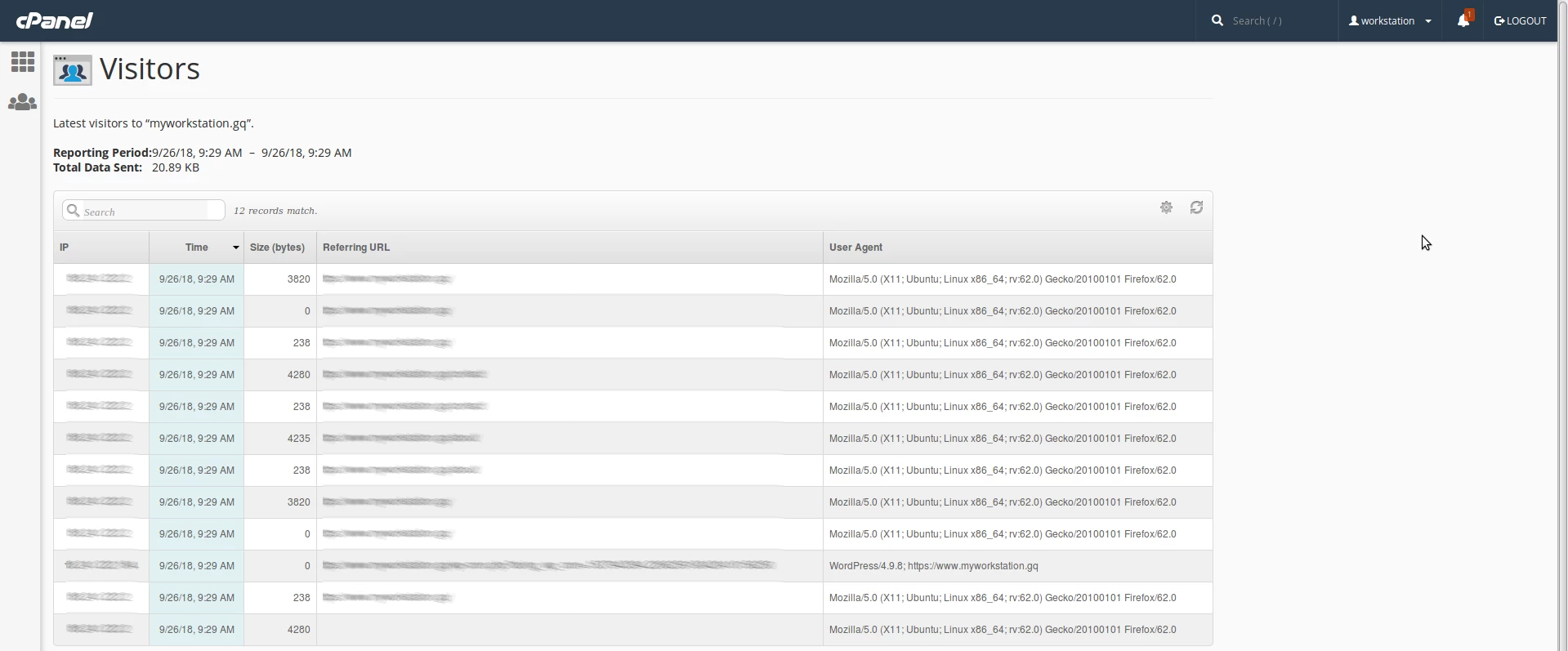
IP - the user's IP address.
URL - the specific address, the URL accessed by the visitor.
Time - access time.
Size (bytes) - the size of the data sent by the server to the visitor.
Referring URL - the web address from which the visitor navigated to the resources.
User Agent - the browser used by the visitor.
- By clicking on the gear symbol on the right side of the screen, some additional information is available.
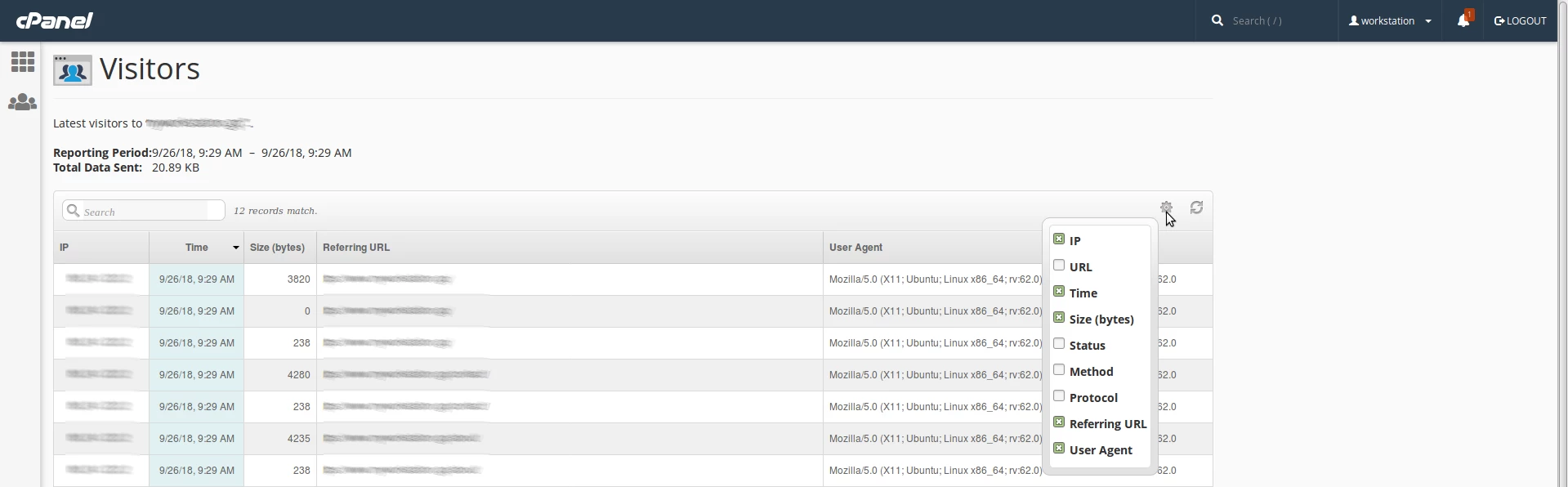
Status - the HTTP code that indicates whether the resources have been loaded successfully or there are errors.
Method - the request, request, and response between client and server.
Protocol - the HTTP version used by the server to deliver resources.
