Tutorials • Webuzo
Setting a cron in the Webuzo panel
Learn how to set a cronjob in the Webuzo panel, including the necessary steps and how to choose the frequency for script execution.
1
Views 982Updated 20 orePublished on 14/02/2020by Cătălin A.
⚠️ Note: This article contains outdated or no longer relevant information. Certain instructions, commands, or configurations may no longer work correctly. For updated solutions, check the recent documentation or contact the support team.
Introduction
- A cron job represents a command in Unix operating systems that is executed at a specific time interval.
- The commands used below are examples.
Requirements
- Access to the Webuzo control panel.
Steps to Follow
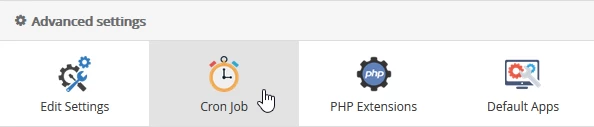
- Once logged in to the Webuzo administration panel, look for the Advanced settings section in the displayed window and select Cron job from there.
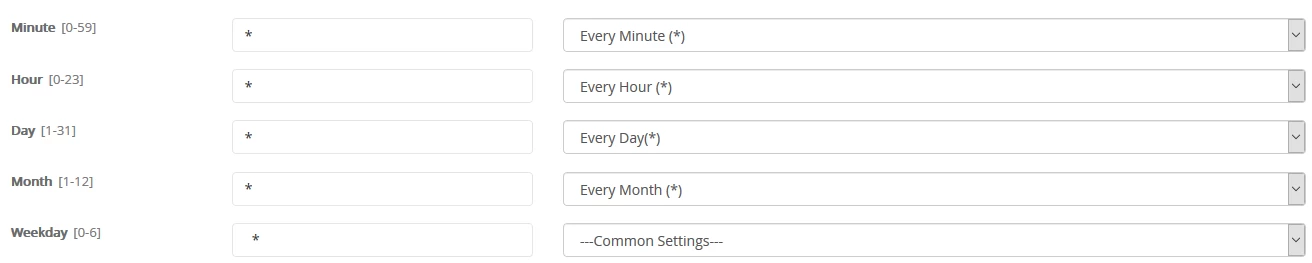
- In the window that will be displayed, you can choose the cadence (minute, hour, day, month) in which the script will run.
- In the Command field, the desired command for execution is completed. Usually, it points to a predefined php script on the hosting, after which the "Add Cron Job" button is pressed.

- After successfully adding this, a confirmation message will be displayed.

- Subsequently, the cron job can be viewed or edited at the bottom of the page in the section Cron Job for user admin.
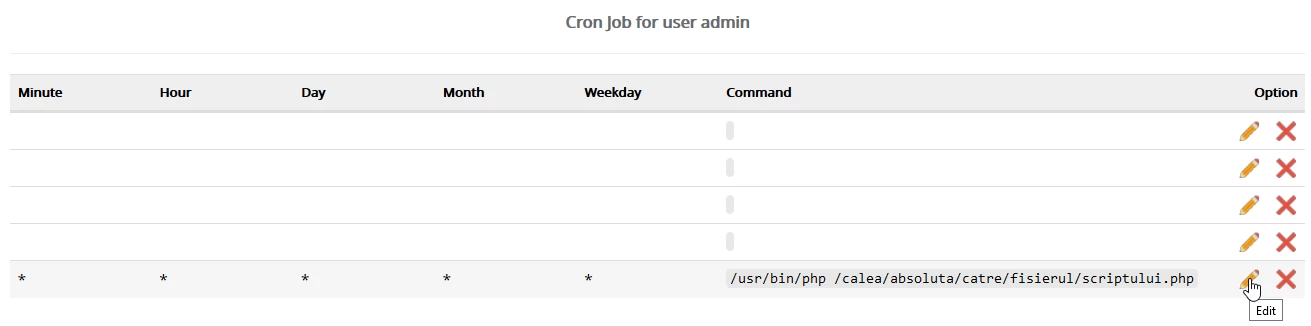
- If everything went successfully, the cronjob will start running at the times specified by the user.
