TutorialscPanel

Changing the PHP version for the main account's subdomains and add-on domains.

In this article, we will present the steps required to change the PHP version on one of the addon domains or for a subdomain different from the main domain.

Views 1012Updated 1 anPublished on 14/07/2021by Eduard Konievic

Introduction

This tutorial presents the steps necessary to change the PHP version on one of the addon domains or for a subdomain different from that of the main domain.

Requirements

  • a cPanel account

Steps to Follow

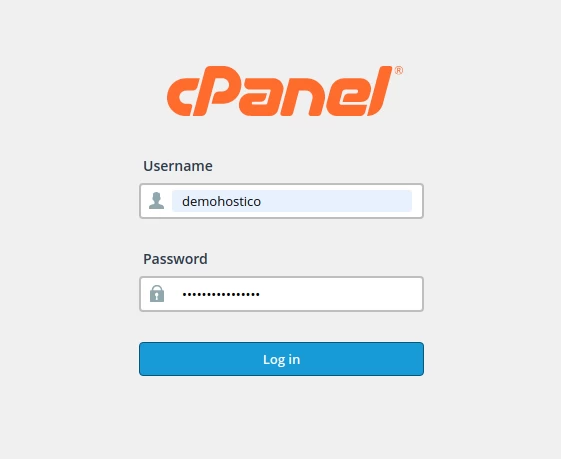
  • we log in to the control panel.

cpanel, login, php

  • We will go to the Files section, where we click on "File Manager"

Cpanel file manager

  • Selectam the subdomain or the add-on domain where we want to change the PHP version

file manager


  • Here we will edit the .htaccess file in which the following lines will be inserted at the start of the file.
  • In case the .htaccess file is not displayed, please access this article to learn how to view hidden files.
```html ```SetHandler application/x-httpd-alt-phpXX___lsphp</FilesMatch>

where XX represents the desired PHP version.

After editing the .htaccess file, we look for the "SOFTWARE" section, and there we click on "Select PHP Version". To edit the PHP directives at the selected version according to the following tutorial.

php select version, versiune, cpanel


Similar Articles

Authentication in cPanel from the client account.Tutorials /Commercial

This tutorial will illustrate the procedure that can be used to log into the cPanel of a hosting service from the Hostico client account.

11
by Mark Dohi
Views 5616
Updated 1 year ago
Published on 05/06/2018
File management with File Manager from the cPanel control panelTutorials /cPanel

Learn how to use the File Manager in cPanel to manage files and directories, including copy, move, delete, and edit operations.

4
by Alexandru Rogojan
Views 1943
Updated 1 year ago
Published on 30/05/2019
Manual reset of the WordPress admin password (wp-admin)Tutorials /WordPress

In this article, we will present the necessary steps to reset the password for the WordPress admin area directly from the database.

1
by Sebastian Szlivka
Views 1707
Updated 1 year ago
Published on 05/10/2018
Changing the password of an email address in cPanelTutorials /cPanel

Learn how to change the password of an email account in cPanel, step by step, to ensure the security of your account.

by Florin Petran
Views 1139
Updated 1 year ago
Published on 11/07/2018
SSL certificate installation in Magento 1.9Tutorials /Apps

Install SSL certificate in Magento 1.9 with this detailed guide. Ensure your site's security by automatically redirecting from HTTP to HTTPS.

by Cătălin Adrian
Views 944
Updated 1 year ago
Published on 01/06/2018
CornerCorner