Tutorials • WHM
Theme manager and cPanel interface customization
Find out how to manage and customize the Paper Lantern theme in WHM by adding a logo, company name, and contact information in cPanel.
Views 1236Updated 1 anPublished on 11/01/2018by Florin P.
Introduction
In this tutorial, we will show you how to manage and customize the current theme, Paper Lantern, from the WHM panel.
Requirements
- Access to the WHM administration account.
Steps
- Log in to the WHM admin panel.
- Navigate to the Themes section and click on Theme Manager.

Theme Manager
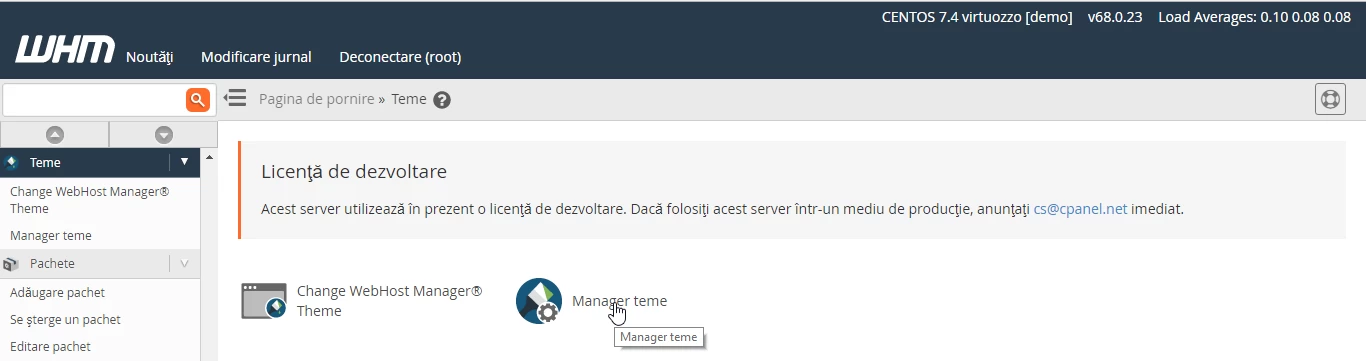
Theme Management
- Click on Manage Theme.
- On the next page, access the Customize Branding tab to customize the Paper Lantern theme.
The available options in this tab include:
- Adding the company name.
- Setting up a support and documentation page.
- Uploading a logo and a favicon.
The information entered here will be visible in the users' cPanel accounts.
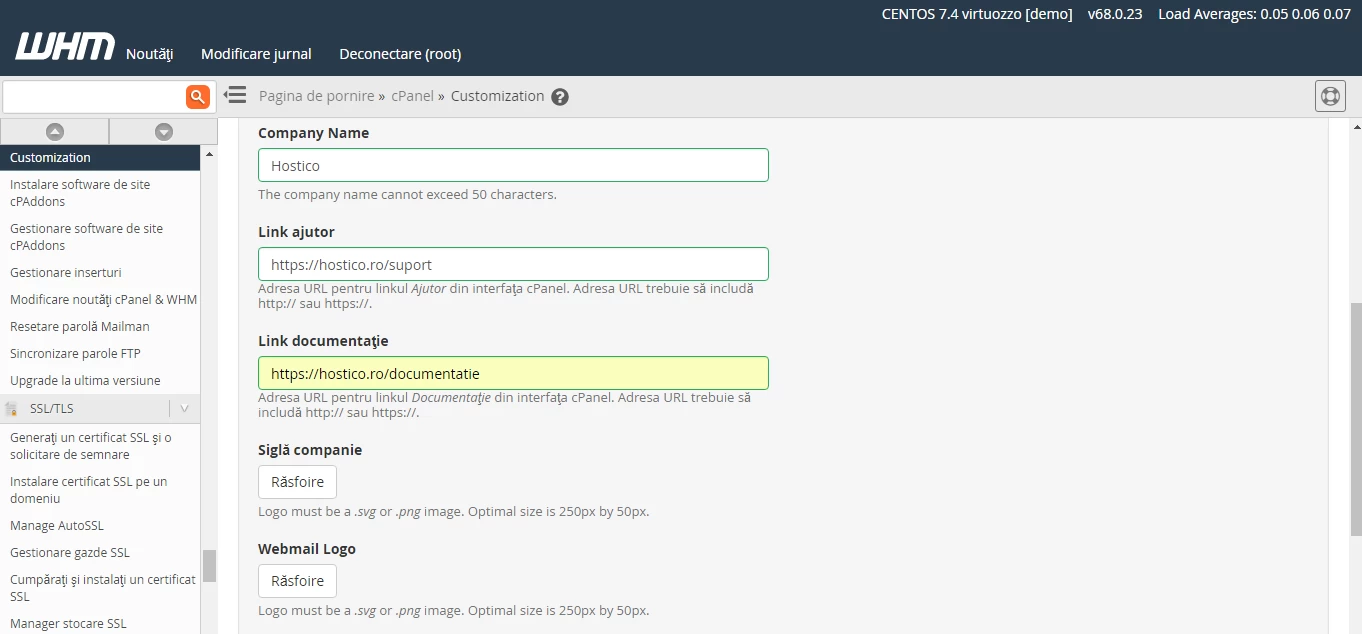
Customize Style
- Access the Customize Style tab to modify the display preferences of the theme in cPanel accounts.
The default style is set to Basic, but it can be customized according to preferences.

Contact Public
- Navigate to the Public Contact tab to enter the contact information available for users.
- After you have completed the information, click the Save button to keep the changes.

