Tutorials • Commercial

Changing the password in the client account.

Find out how to change your Hostico account password step by step. Follow the instructions to secure your account and use a strong password!

Views 981Updated 4 zilePublished on 08/07/2017by Mark D.

Introduction

  • This tutorial will explain the necessary steps to change the password of your Hostico client account from within it;

Requirements

  •  existing Hostico client account;

Steps

  • After logging into the Hostico client account, go to the Edit Profile, section on the left side of the screen;

  • In the opened interface, go to the right side in the section Change Password;
  • Enter the existing password in the first field and the new password you wish to use in the other two fields - then confirm the new password;
  • After entering the password, click the Change.
    button.
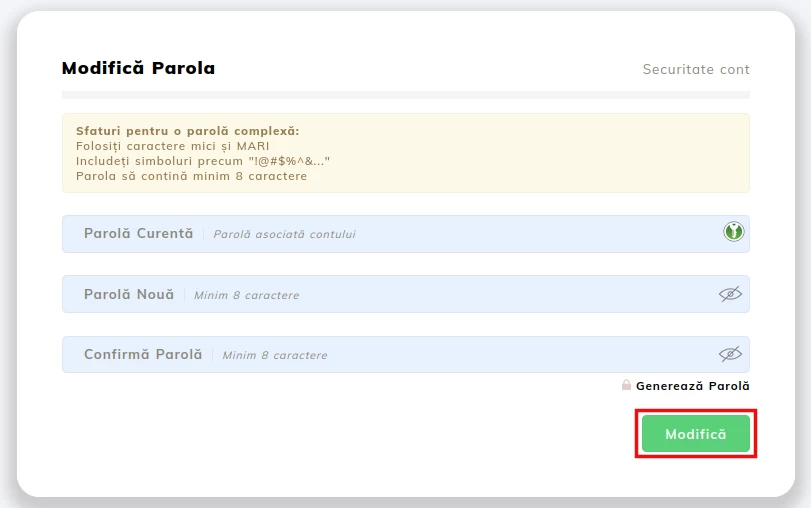
  • Once the password change action is completed, the window will return to its initial form.

Note

  • To ensure that the chosen password is secure, it is advisable to use different types of characters (numbers, symbols, uppercase and lowercase letters).
 

Similar Articles

Commercial
Views 981
Changing the password in the client account.
Updated 4 days ago

Find out how to change your Hostico account password step by step. Follow the instructions to secure your account and use a strong password!

See Article
Commercial
Views 1,952
Resetting the password for the Hostico client account
Updated 2 years ago

Learn how to reset your Hostico customer account password step by step. Follow the instructions to receive an email with the password regeneration link.

See Article
Commercial
Views 2,931
Authentication (Logging in) to the Hostico client account.
Updated 2 years ago

Learn how to log in to your Hostico client account, with simple steps for logging in and information about password recovery.

See Article
pixel
0
productproducts
Error
CornerCorner
Client
Shop
0
Cart
0
Chat
Menu
Log InÎnscrie-te
  • Client
  • Services
  • Domains
  • Shop
  • Financial
  • Cards
  • Tickets
  • Profile
  • Tutorials
  • FAQs
  • Blog
Language
English Language
English
Romanian Language
Română
Socials
Terms
Privacy
GDPR
SLA